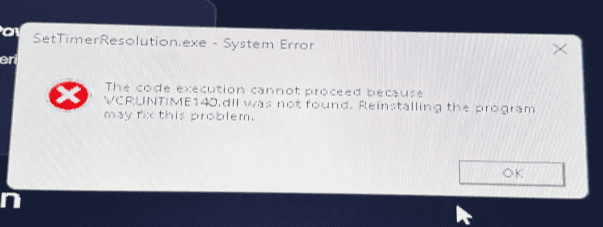

How to Fix VCC Runtime Error
If EXM shows a VCC Runtime Error, it usually means your system is missing one or more required Visual C++ runtimes. Installing the full runtime package should resolve the issue.
How to Fix It
Go to TechPowerUp Visual C++ Redistributable Runtime Package All-in-One
Download the ZIP file
Extract the ZIP file
Open the extracted folder
Run the included batch file to install all Visual C++ runtimes
Once the installation is complete, restart your PC and launch EXM again.
Still Having Issues?
If the error continues after installing the runtimes, contact EXM Support and include a screenshot of the exact error message.