

Verify Your EXM Premium Subscription in Discord
Join the EXM Tweaks Discord server to get access to PC help, weekly giveaways, Premium perks, free tweaks, and the EXM community.
If you have an active EXM Premium subscription, you can verify your account and receive the Premium role in just a few steps.
https://discord.gg/EXM
How to Get Your Premium Role
Join the EXM Tweaks Discord server.
Go to the Premium Verify channel.
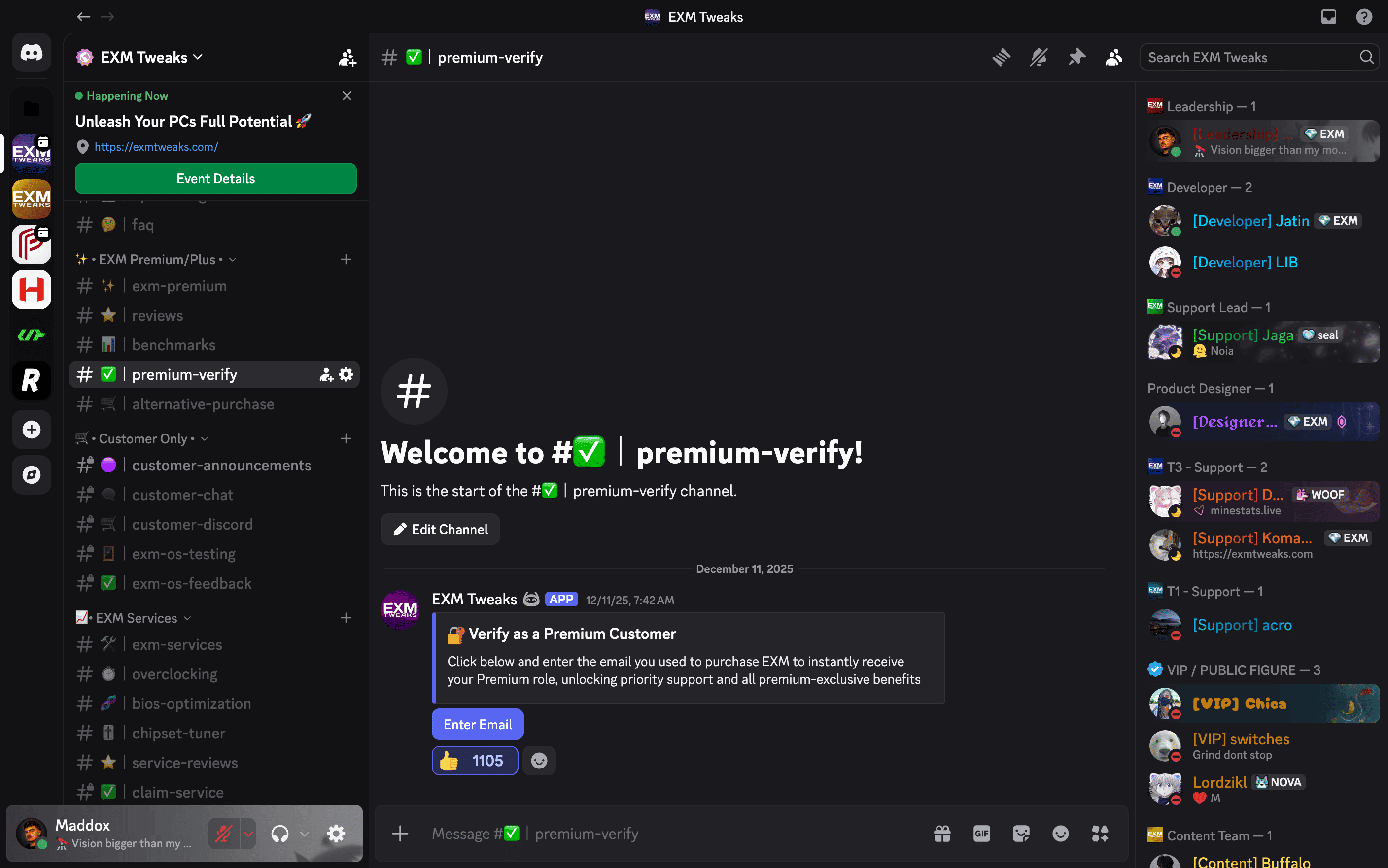
Enter the email address associated with your EXM account when prompted.
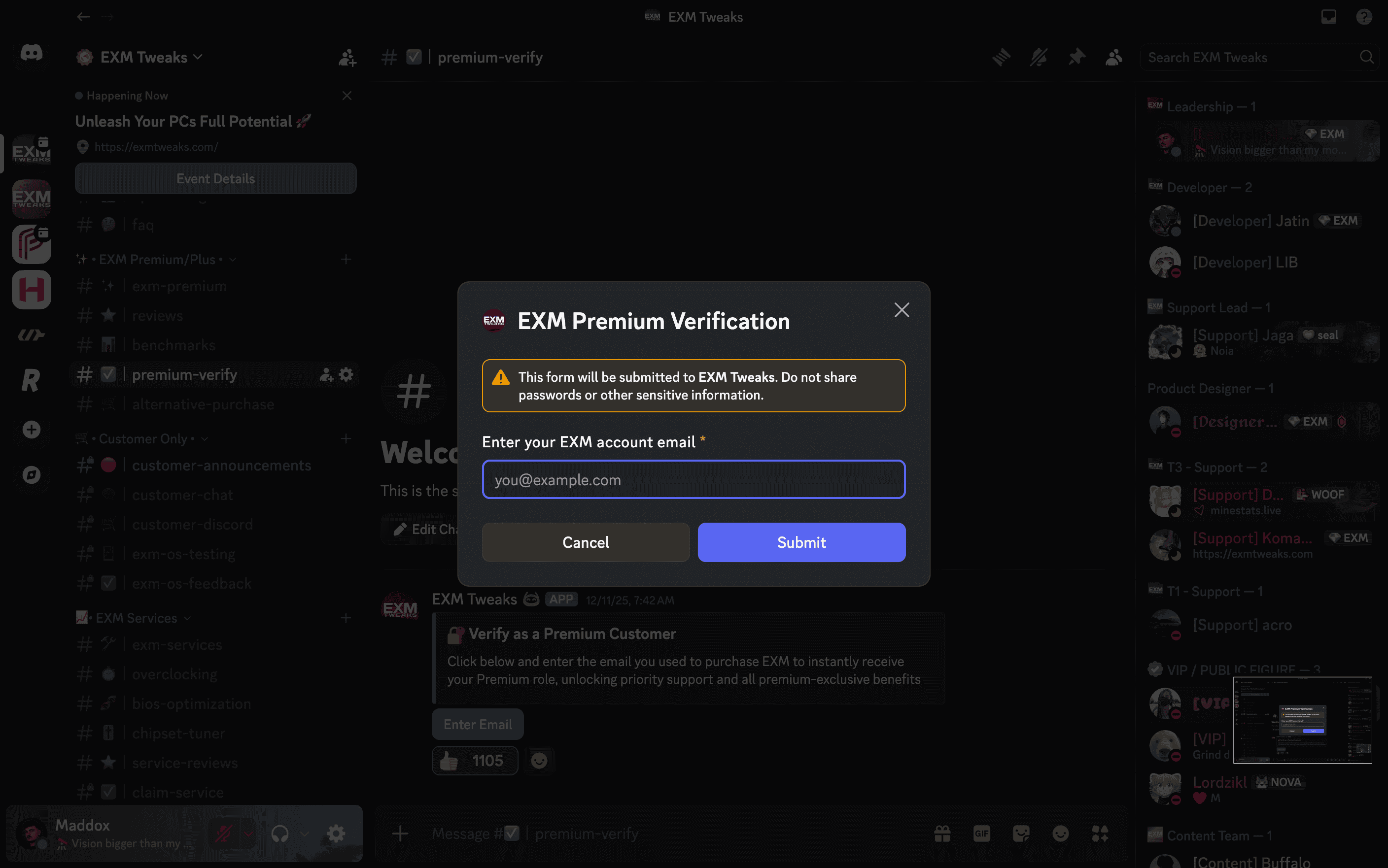
Once your account is successfully verified, you will automatically receive the Premium role.
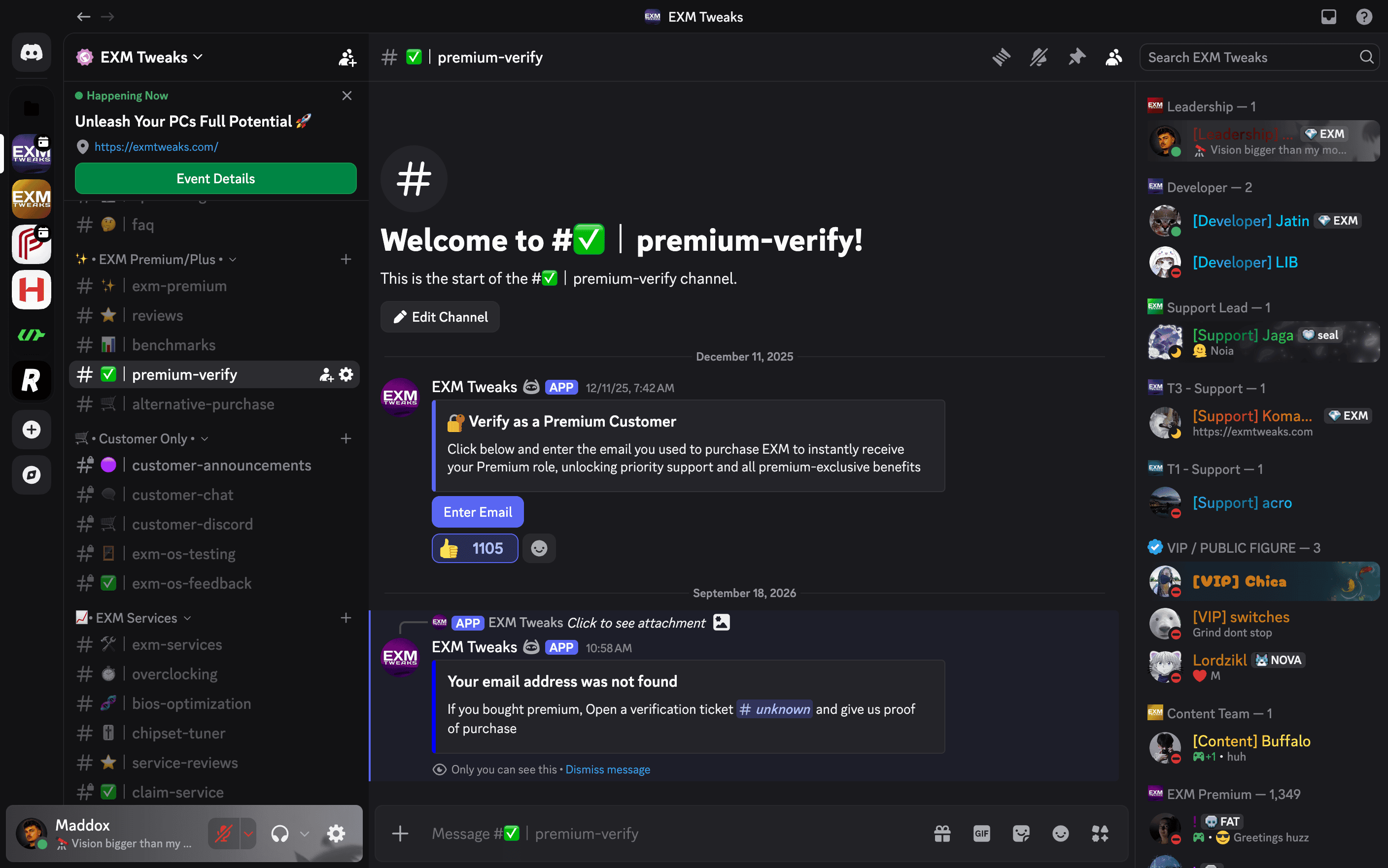
Account Not Found?
If the verification system says that your account could not be found, create a Verification Ticket in the Discord server.
Our support team can help verify your account and get your Premium role assigned.
Make sure to provide the email address associated with your EXM account when creating your ticket.
Need Help?
If you're still having trouble verifying your Premium subscription, create a support ticket in the EXM Discord server and our team will assist you.