

Purchasing EXM for Multiple Devices
If you want to use EXM on more than one computer, you may need additional device access depending on your current plan.
Using EXM on Multiple PCs
EXM device access determines how many computers can be registered to your account at the same time.
If all available device slots are already in use, attempting to activate EXM on another computer may result in a Device Limit Reached error.
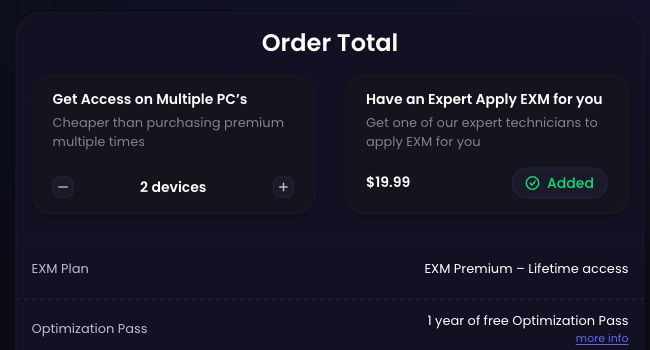
Purchasing Additional Device Access
If you regularly use EXM on multiple computers, purchasing additional device access is the best option.
This allows you to keep multiple PCs registered without repeatedly requesting device resets.
Additional device options may be available during checkout or through your EXM account, depending on your current plan.
When You Do Not Need Another Device
You may not need to purchase another device if you are simply replacing or resetting an existing computer.
Examples include:
Reinstalling Windows
Replacing major PC hardware
Building a replacement PC
No longer having access to a previously registered device
In these cases, you may be able to request an HWID reset instead.
Requesting a Device Reset
If your existing device registration needs to be cleared, contact EXM Support and provide:
Your EXM account email
The reason you need the device reset
Support will review the request and assist you with resetting the registered device when appropriate.
For more information, see our Device Limit Reached troubleshooting guide.