

Device Limit Reached
If you're seeing a Device Limit Reached error when trying to use EXM, the device you're currently using may already be registered to another EXM account, or your account has reached the maximum number of devices allowed on your subscription.
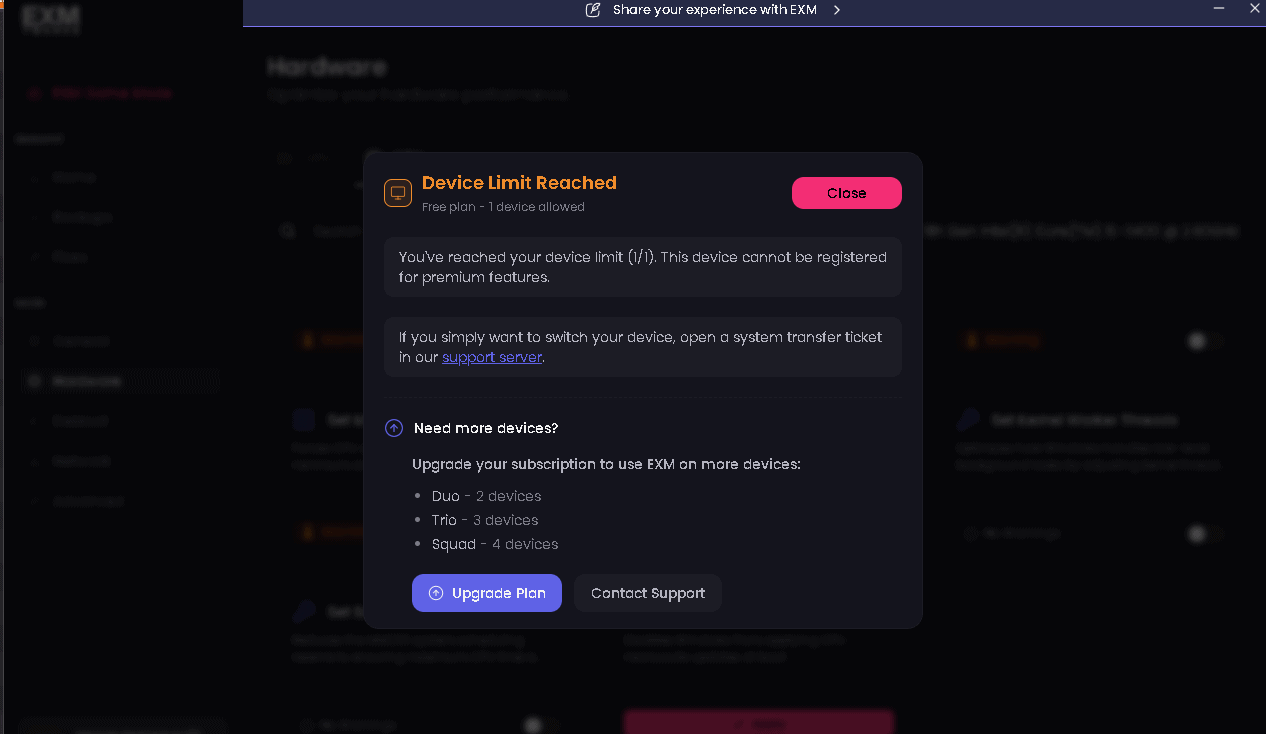
How to Fix It
There are a few ways to resolve this error:
Log In to the Correct Account
If this device is already registered to an EXM account, make sure you're logging in with the account the device was originally registered to.
If you're unsure which account was used, check any other EXM accounts you may have before requesting a reset.
Request an HWID Reset
If you've changed devices, reinstalled Windows, upgraded hardware, or otherwise need to register a different device, you can request an HWID reset from our support team.
When contacting support, please provide:
Your EXM account email
The reason you need an HWID reset
Our support team will review your request and assist you with resetting the device registered to your account.
Purchase Additional Devices
If you regularly use EXM across multiple computers, you can also purchase additional device slots for your subscription.
Adding more devices allows you to use EXM on multiple supported computers without needing to request an HWID reset each time you switch devices.
Need Help?
If you're still seeing the Device Limit Reached error after trying the options above, contact EXM Support at support@exmtweaks.com and our team will assist you.