

Get your PC running at its absolute best by booking a one-on-one optimization session with EXM Tweaks. Our expert technicians will walk you through personalized tuning tailored to your hardware and goals, whether you want a healthier, more stable system or maximum performance from your components.
What is an Optimization Session?
An optimization session is a live, guided service where an EXM Tweaks technician analyzes your system and applies targeted tweaks to improve performance, stability, and longevity. Sessions are conducted remotely and are fully customized based on your setup.
Available Services
We offer the following optimization services:
PC Health Checkup
A full diagnostic of your system to identify issues such as overheating, driver conflicts, unnecessary startup programs, and general performance bottlenecks. This is ideal as a first session or a routine tune-up.
BIOS Optimization
Fine-tuning your motherboard BIOS/UEFI settings to unlock hidden performance gains, improve boot times, and ensure your hardware is configured correctly for your use case.
GPU Overclocking
Safely push your graphics card beyond factory clock speeds for better frame rates and smoother gameplay. Our technicians test for stability at every step to ensure your GPU runs reliably.
CPU Overclocking
Increase your processor's clock speed and fine-tune voltage settings to maximize computational performance while keeping temperatures and stability in check.
Memory (RAM) OverclockingOptimize your RAM's speed, timings, and voltage using XMP/EXPO profiles and manual tuning for a noticeable boost in system responsiveness and application load times.
CPU Undervolting
Reduce your CPU's voltage below stock settings to lower heat output and power consumption while maintaining full performance. Ideal for laptops or systems running hot under load.
GPU Undervolting
Lower your graphics card's voltage curve to achieve cooler, quieter operation without sacrificing performance. Often results in better sustained clock speeds and longer GPU lifespan.
Chipset Tuning
Optimize your motherboard chipset settings to improve data throughput, PCIe lane performance, and overall platform stability for a well-rounded system tune.
EXM Premium Utility Setup
Installation and configuration of EXM's proprietary suite of optimization utilities, including monitoring tools, automation scripts, and performance profiles tailored to your hardware.
Streaming Setup
Full configuration of your streaming environment, including OBS or your preferred software, encoder settings, bitrate optimization, and scene setup — so you can go live looking and sounding your best.
How to Book a Session
Booking is quick and easy. Follow these steps:
Review our professional packages
Select a package for your needs
Select "Book Now"
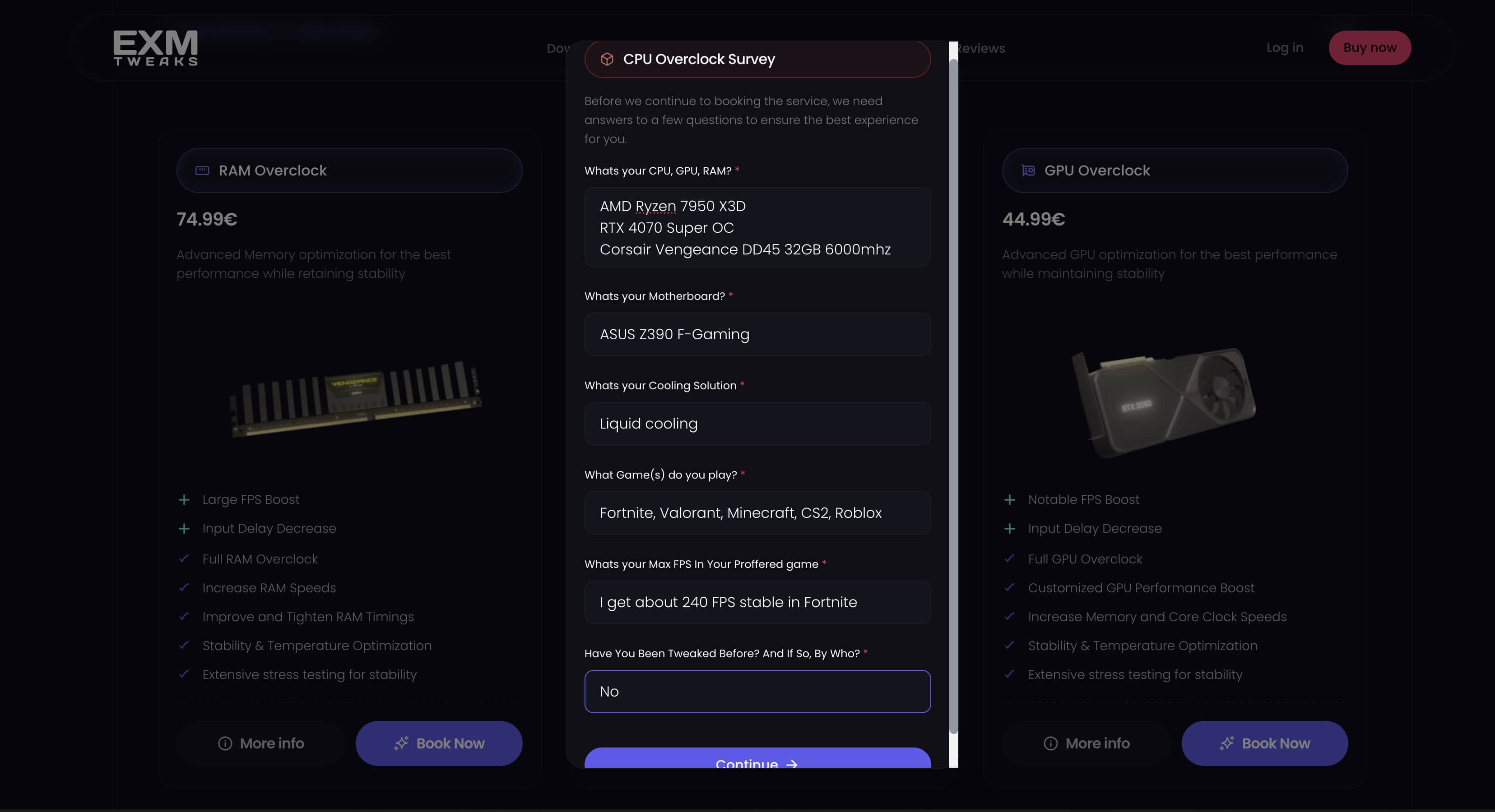
Fill out the required Information
Form Fill Example
How to Get Needed Information
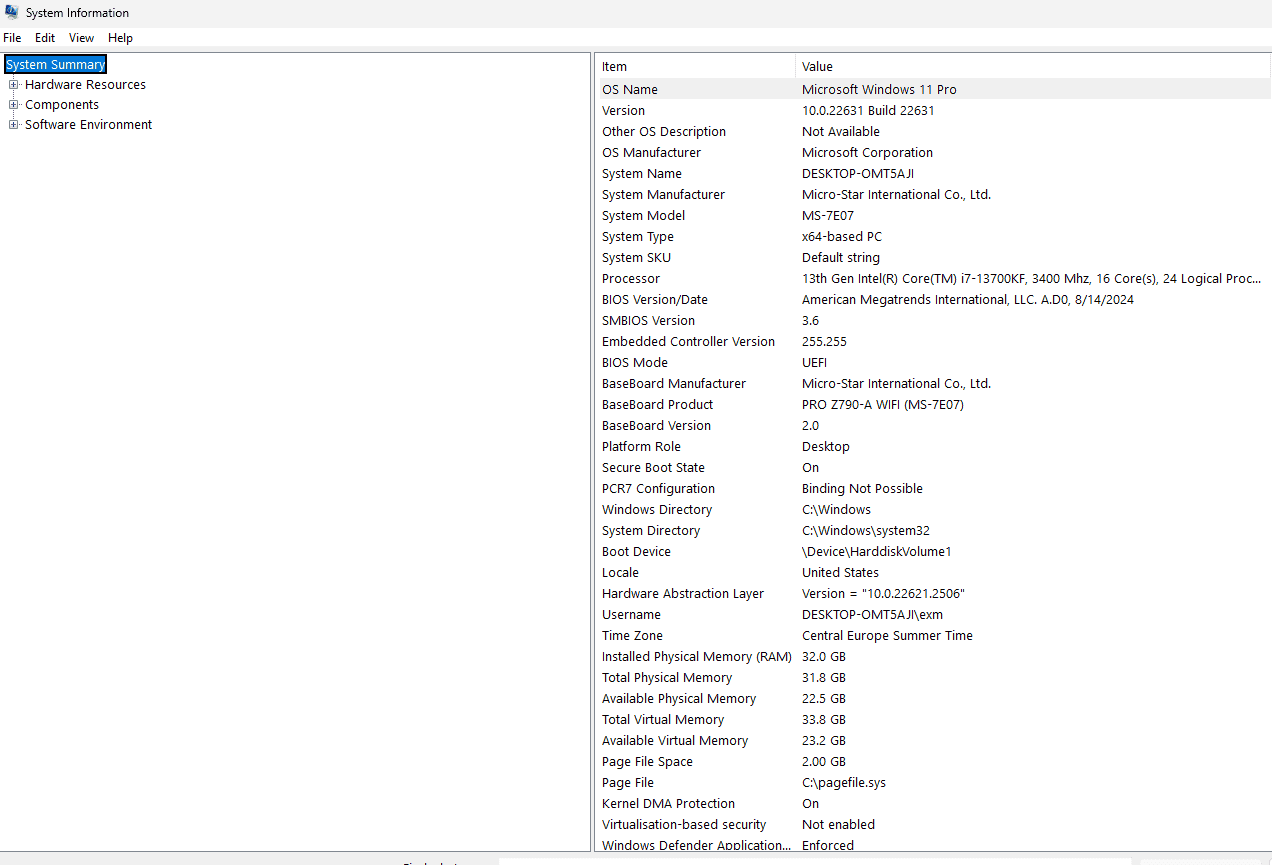
Click Windows Key + R
In the box, type sysinfo
You will find everything but your GPU in the first box
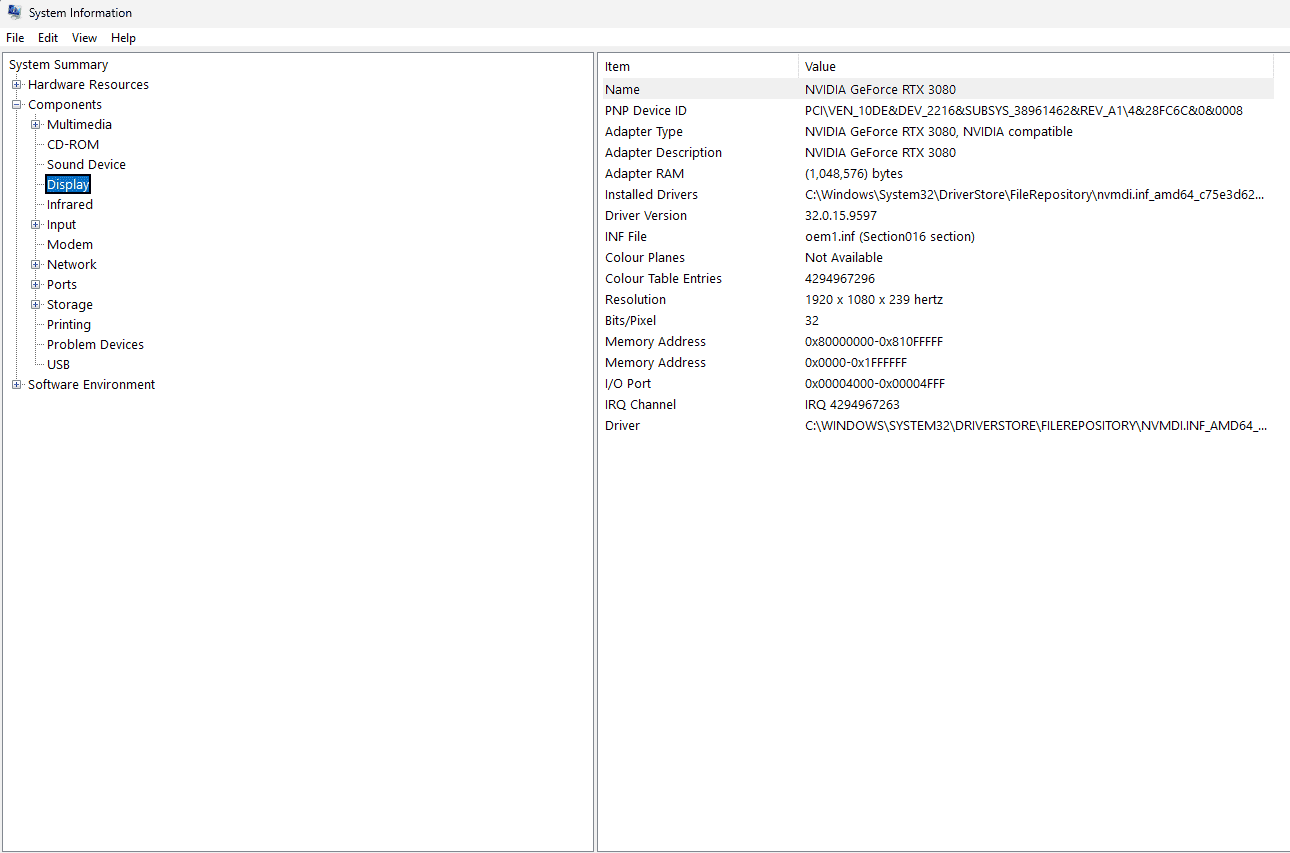
To get your GPU, select components in the left field, display, and review the Information there
What to Expect During Your Session
Once your session is confirmed, a technician will contact you via your preferred method to set up a remote connection. During the session, they will walk you through every change being made and explain what it does. You are always in control and can ask questions at any point.
Session duration varies depending on the service selected, but most sessions run between 30 and 90 minutes.
Before Your Session Begins
To make the most of your session, please have the following ready:
Your PC must be powered on and connected to a stable internet connection.
Know your Windows login credentials in case a restart is needed.
Have your hardware specifications handy (CPU model, GPU model, RAM size and speed).
Create a system restore point or backup important data before the session begins.
Need Help?
If you have any questions before or after your session, you can reach our support team anytime at https://support.exmtweaks.com. We are here to help you get the most out of your hardware.