

How to Cancel Your EXM Subscription
This article walks you through how to cancel your EXM subscription from within your account settings.
What This Guide Covers
If you no longer want to keep your EXM subscription active, you can cancel it directly through your account billing settings. The process is simple and only takes a few steps.
How to Cancel Your Subscription
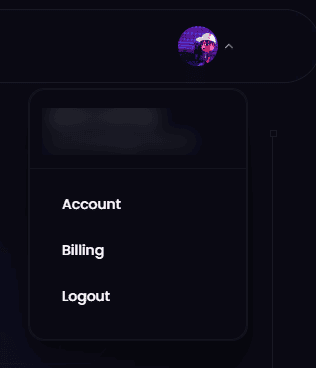
To cancel your EXM subscription, start by opening your profile menu inside EXM. From there, select Billing to access your subscription settings.
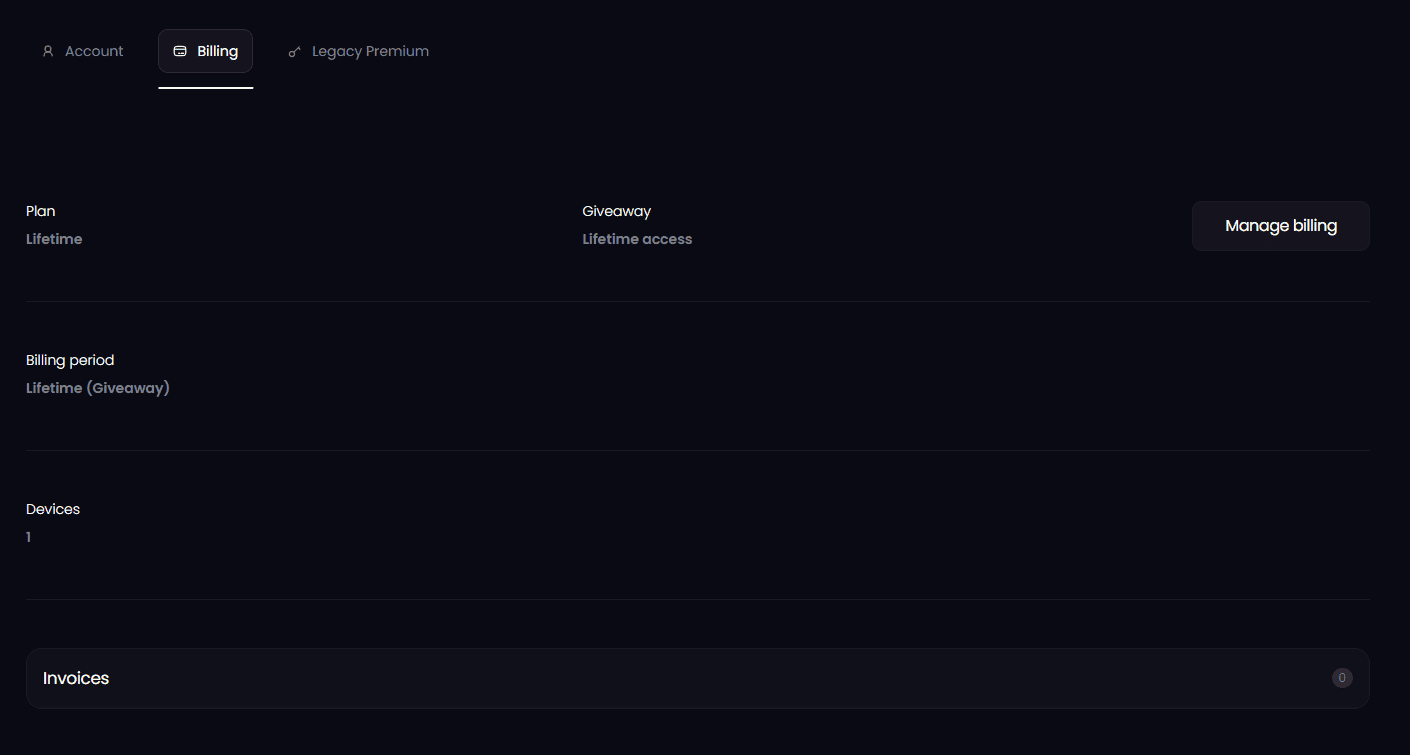
Once you are in the billing area, select Manage Billing. This will take you to the page where you can manage your active subscription.
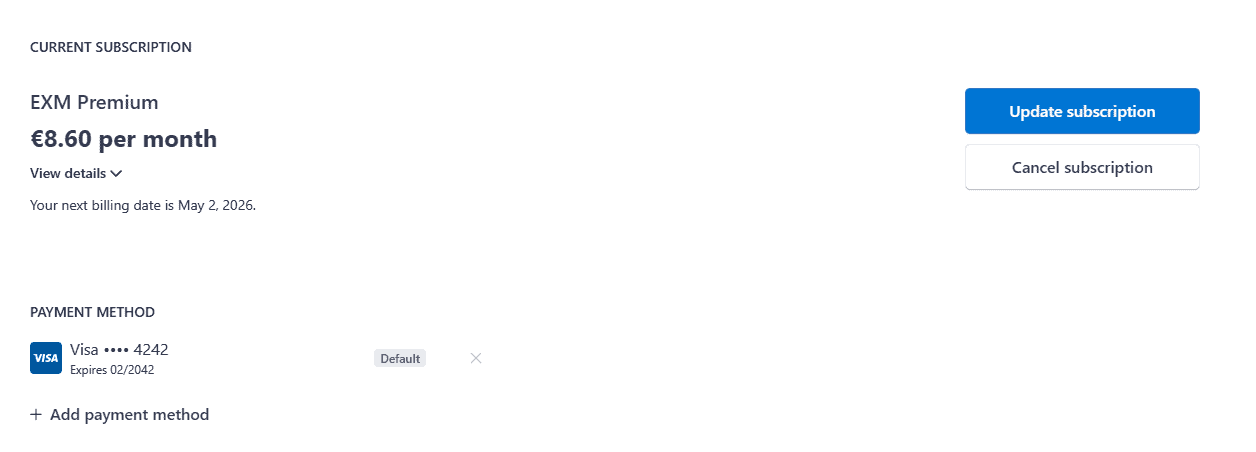
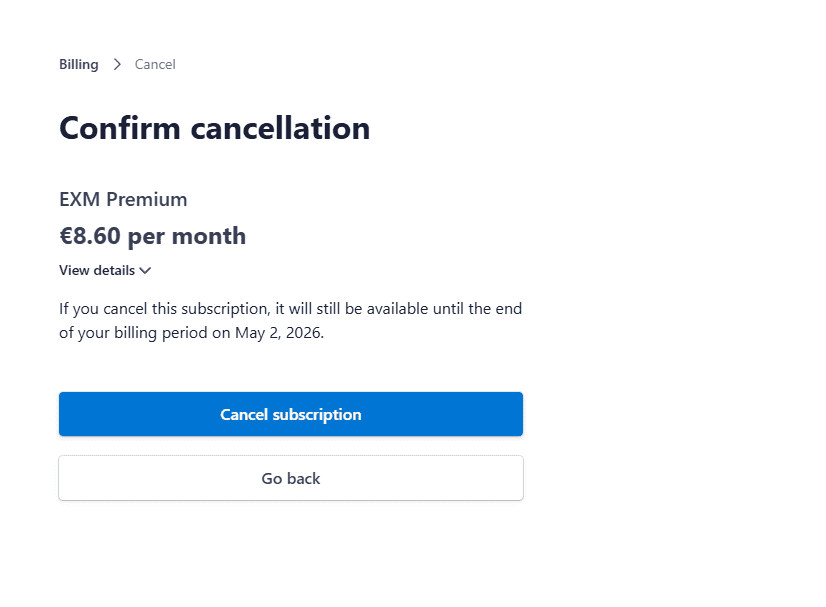
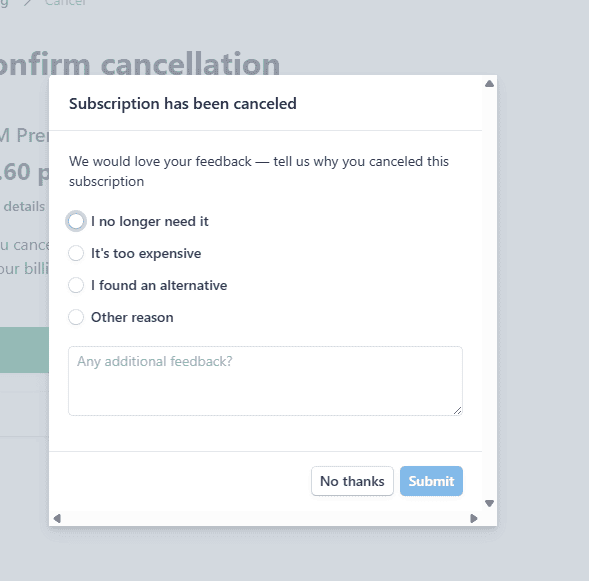
From there, choose Cancel Subscription. You will then be asked to confirm that you want to cancel. After confirming, you may be prompted to provide a reason for canceling. You can either fill out the reason for your cancellation or select No Thanks to skip that step.
Once completed, your cancellation request will be processed.
Step by Step
To cancel your EXM subscription:
Open your Profile
Select Billing
Click Manage Billing
Choose Cancel Subscription
Confirm the cancellation
Fill out the cancellation reason or select No Thanks
Before You Cancel
Before canceling, make sure to review your billing status and subscription access so you understand when your plan will end. Canceling your subscription stops future renewals, but your access may remain available until the end of your current billing period depending on your plan.
Need Help?
If you run into any issues while trying to cancel your subscription, our support team is ready to help at support@exmtweaks.com.